
Virtual CDU A318-A3201.2 - Google Play
You'll be able to see results in few seconds.
Publisher Description
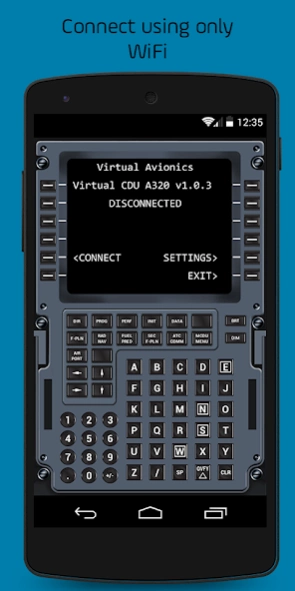
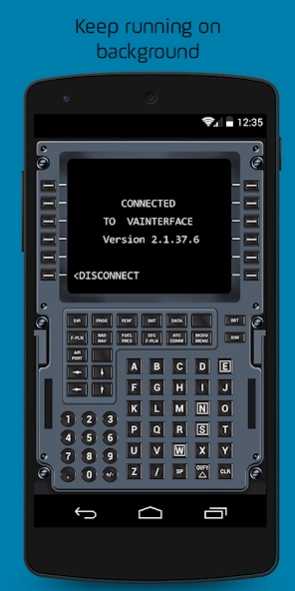
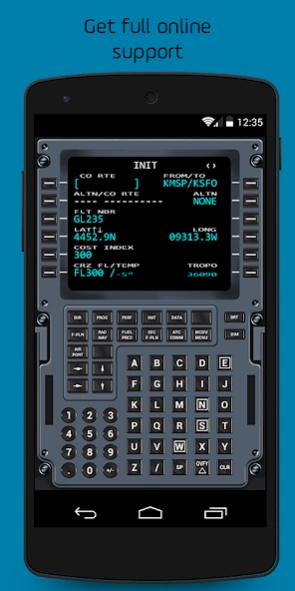
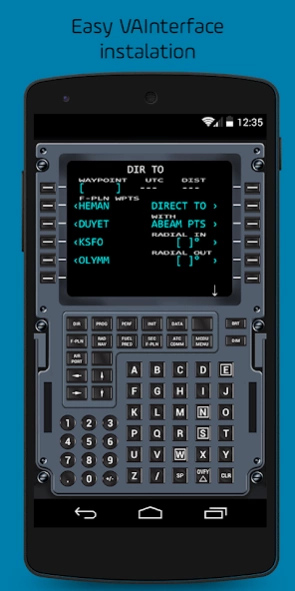
Virtual CDU for AEROSOFT A318/319 and A320/321
Virtual Computer Display Unit for AEROSOFT A318/319/A320/321
This app will make your Flight Simulator experience even better! Forget cycling between open windows or use your mouse to check or input information on FMC. With this app connected at your home wi-fi network, your experience gets more realistic by using your tablet ou smartphone to touch the CDU.
*ATTENTION:* This is NOT a standalone application! It will act as a CDU and allows you to interact with the FMC on your Flight Simulator. It interfaces with your FS using an application installed on PC through a TCP/IP network. All data related to FMC is displayed on the Virtual CDU and touch keyboard inputs are directly sent to FS.
It will act as a CDU and will allow you to interact with the FMC on your Flight Simulator. It interfaces with your FS using an application installed on PC, called VAInterface, through wi-fi network. All data related to FMC is displayed on Virtual CDU and touch keyboard inputs are directly sent to FS.
- It is necessary to download the software VAInterface from http://store.virtualavionics.com.br/downloads This software will run on your PC and interface with FSX. Please note that VAInterface only runs on Windows 7, Windows 8 or Windows 10 (will not work on Windows XP).
*COMPATIBILITY LIST*
✓ Prepar3D v3.x or bellow (DOES NOT SUPPORT Prepar3D V4.x);
✓ Aerosoft;
✓ Flight Simulator X: Steam Edition;
✓ Aerosoft .
*LATEST VERSION*
The latest version of VAInterface software is required to use the Virtual Computer Display Unit for Flight Simulation. You can download it from http://store.virtualavionics.com.br/downloads. This software will run on your PC and interface with the flight simulator. Contact us for further assistance.
*BE AWARE*
*1)* VAInterface is ONLY SUPPORTED on Windows 7, Windows 8 and Windows 10. Windows XP is no longer supported and this application WILL NOT WORK if your flight simulator is running on Windows XP.
→ For better performance we recommend to use wi-fi network.
→ It may not be compatible with A320/321 versions prior to EXTENDED 1.16.
→ Right MCDU still not supported.
→ DOES NOT SUPPORT Aerosoft for Prepar3D v4 or above.
*About Virtual Avionics*
Virtual Avionics provides realistic flight simulation experiences to customers worldwide. We provide software and hardware solutions to the aviation industry, pilots, and enthusiasts, enabling users to challenge their skills.
Have a question or feedback about the app? Give us a shout at store.virtualavionics.com.br/support
-----
About Virtual CDU A318-A320
The company that develops Virtual CDU A318-A320 is Virtual Avionics. The latest version released by its developer is 1.2.
To install Virtual CDU A318-A320 on your Android device, just click the green Continue To App button above to start the installation process. The app is listed on our website since 2015-10-06 and was downloaded 0 times. We have already checked if the download link is safe, however for your own protection we recommend that you scan the downloaded app with your antivirus. Your antivirus may detect the Virtual CDU A318-A320 as malware as malware if the download link to com.virtualavionics.vcdu_a320 is broken.
How to install Virtual CDU A318-A320 on your Android device:
- Click on the Continue To App button on our website. This will redirect you to Google Play.
- Once the Virtual CDU A318-A320 is shown in the Google Play listing of your Android device, you can start its download and installation. Tap on the Install button located below the search bar and to the right of the app icon.
- A pop-up window with the permissions required by Virtual CDU A318-A320 will be shown. Click on Accept to continue the process.
- Virtual CDU A318-A320 will be downloaded onto your device, displaying a progress. Once the download completes, the installation will start and you'll get a notification after the installation is finished.
Program Details
System requirements
Download information
Pricing
Version History
version 1.2
posted on 2015-10-06
Version 1.2:,- Implemented audio feedback for key presses.,This feature can be turned on/off in Settings - Enable key sound,- The OVFY key is now functional
Disclaimer
Official Google Play Link
We do not host Virtual CDU A318-A320 on our servers. We did not scan it for viruses, adware, spyware or other type of malware. This app is hosted by Google and passed their terms and conditions to be listed there. We recommend caution when installing it.
The Google Play link for Virtual CDU A318-A320 is provided to you by apps112.com without any warranties, representations or guarantees of any kind, so access it at your own risk.
If you have questions regarding this particular app contact the publisher directly. For questions about the functionalities of apps112.com contact us.
